Accessing your Aadhaar digitally has become easier and faster with the e Aadhaar facility. e Aadhaar Download allows residents to obtain a secure PDF version of their Aadhaar card directly from the official UIDAI portal. This digital copy is legally valid and can be used for various identification and verification purposes, eliminating the need for carrying a physical card.
Whether you have misplaced your Aadhaar or want to keep a digital backup, downloading your Aadhaar online is simple and secure. By following a few straightforward steps, you can retrieve your e-Aadhaar, check your details, and ensure your information is up-to-date.
What is e Aadhaar?
e Aadhaar is an electronic version of your Aadhaar card issued by UIDAI. It contains the same demographic and biometric details as the physical card and is password-protected for safety. The digital Aadhaar can be stored on your phone or computer and is accepted wherever the original Aadhaar card is required.
e Aadhaar Download from UIDAI
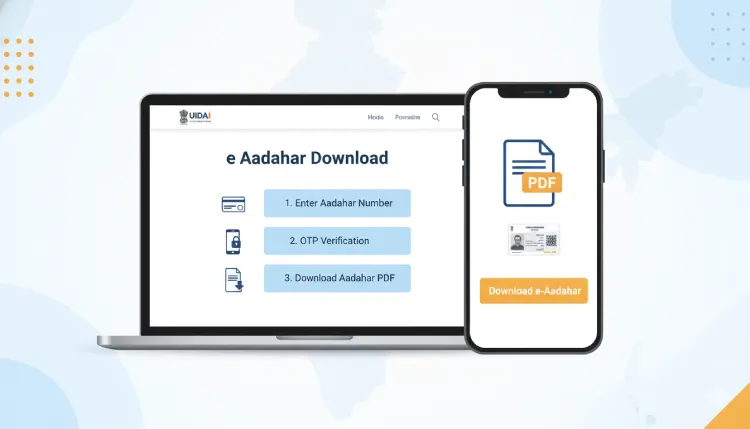
Downloading your e-Aadhaar Download PDF is quick if you follow these steps carefully:
- Visit the official UIDAI portal and select the “Download Aadhaar” option.
- Choose either “Aadhaar Number,” “Enrolment ID,” or “VID” to proceed.
- Enter your details, such as name, PIN code, and registered mobile number.
- Submit the OTP sent to your registered mobile for verification.
- Once verified, download the PDF version of your Aadhaar.
- Use the Aadhaar-specific password (first four letters of your name in CAPS + birth year) to open the PDF.
You can also directly access your digital Aadhaar using my Aadhaar UIDAI for quick login and download options.
Step-by-Step Guide Using My Aadhaar Login
If you have previously registered on the UIDAI portal, you can use your My Aadhaar login credentials:
- Visit the UIDAI login page.
- Enter your registered Aadhaar number and password.
- Select the e-Aadhaar download option.
- Enter the OTP sent to your mobile and download your e aadhar card download online PDF securely.
Tips for a Smooth e Aadhaar Download
- Ensure your mobile number is updated in the UIDAI database to receive OTPs.
- Use a secure device and internet connection to prevent unauthorized access.
- Keep a backup of the downloaded Aadhaar on your phone or cloud storage.
- Remember your e Aadhaar password to access the PDF.
Common Issues During e aadhaar Download
Sometimes users may face issues while trying to download an Aadhar card online:
- OTP not received: Check your registered mobile number and network signal.
- Incorrect details: Make sure the information entered matches your Aadhaar record.
- PDF password issues: Remember, the password is the first four letters of your name in CAPITALS + birth year.
If problems persist, visiting the UIDAI portal directly for assistance is recommended.
Benefits of e Aadhaar
- Quick and easy access to Aadhaar anywhere.
- Legally valid digital identity proof.
- Reduces the need for carrying physical documents.
- Secure with password protection.
Using e Aadhaar Safely
Always ensure that your e Aadhaar PDF is stored securely. Avoid sharing it on unsecured platforms. When using it for verification, check that only the necessary sections are shared, such as a masked Aadhaar if full details are not required.
Accessing Your Aadhaar Anytime
With my Aadhaar download, you can keep a digital copy of your Aadhaar handy at all times. This ensures that even in emergencies or when offline, your identity proof is readily available. Regularly updating your mobile number and checking your Aadhaar details ensures smooth usage.
FAQ (Frequently Asked Question)
Q1. How can I do e Aadhaar download?
Visit the UIDAI portal, enter your Aadhaar or Enrollment ID, verify with OTP, and download the PDF using your Aadhaar password.
Q2. Is e Aadhaar legally valid?
Yes, the e Aadhaar is considered legally valid and can be used anywhere the physical Aadhaar is accepted.
Q3. What is the password to open e Aadhaar PDF?
The e Aadhaar password is the first four letters of your name in capital letters followed by your birth year.